Social Media Management Centre

Plan, write, schedule, and reply across every channel from one place — with AI doing the heavy lifting when you need it.

A neon sign with a heart in a speech bubble.

The social media tool we actually recommend

Running a business is hard enough without juggling six different social media tabs every morning. After trying most of the major scheduling tools, we use and recommend SocialBee — a single platform that brings every channel, every post, and every reply into one place.

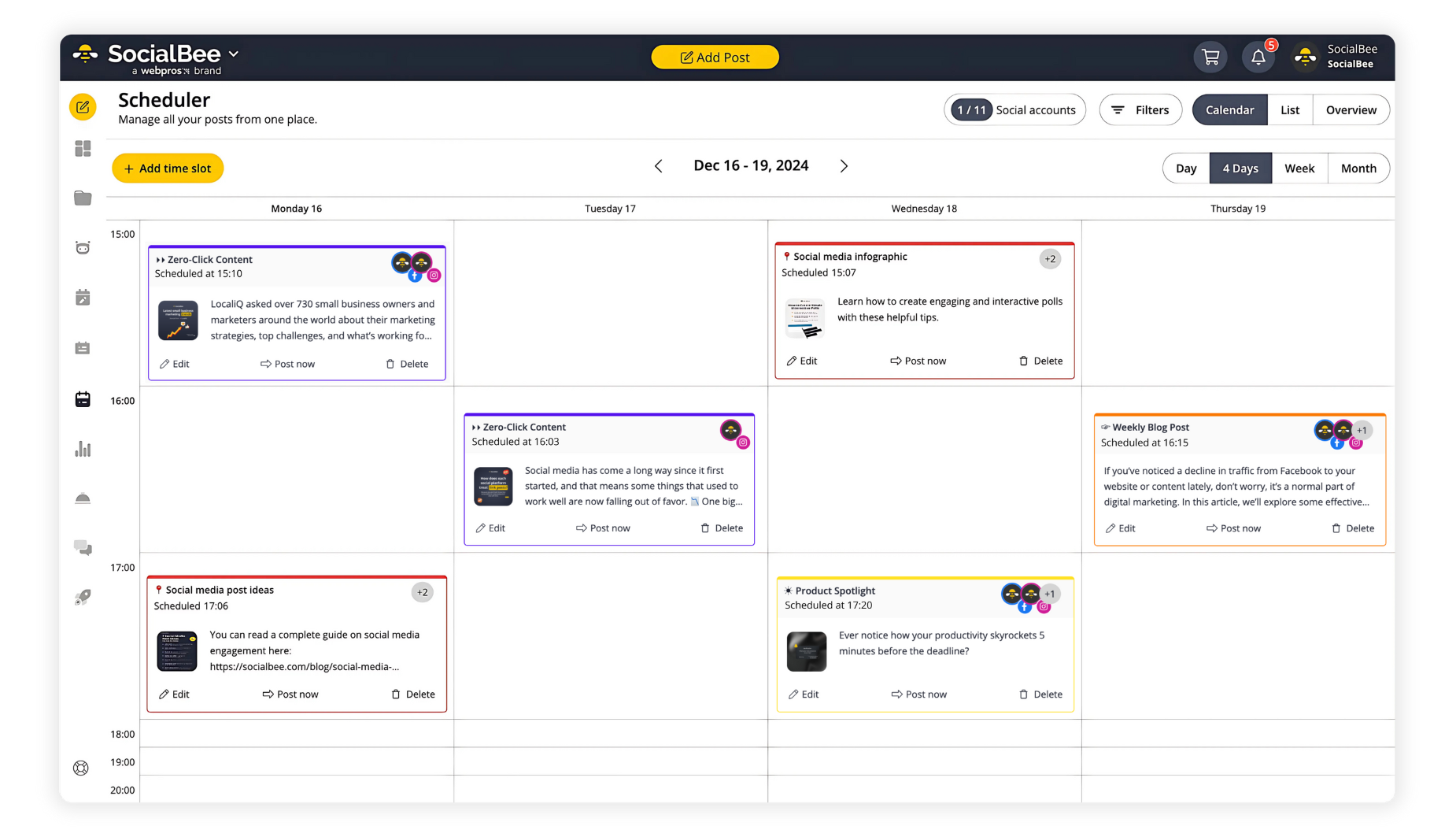
It's built for small and medium businesses who want professional-grade scheduling without the enterprise price tag. The AI writes posts in your voice, the calendar makes a month's worth of content visible at a glance, and the Engage inbox catches every comment and DM so nothing slips.

Try it free for 14 days — no card required — and see what a properly built social workflow feels like.

Start Your Free 14-Day Trial →
SocialBee scheduler calendar view showing four days of planned posts across multiple channels
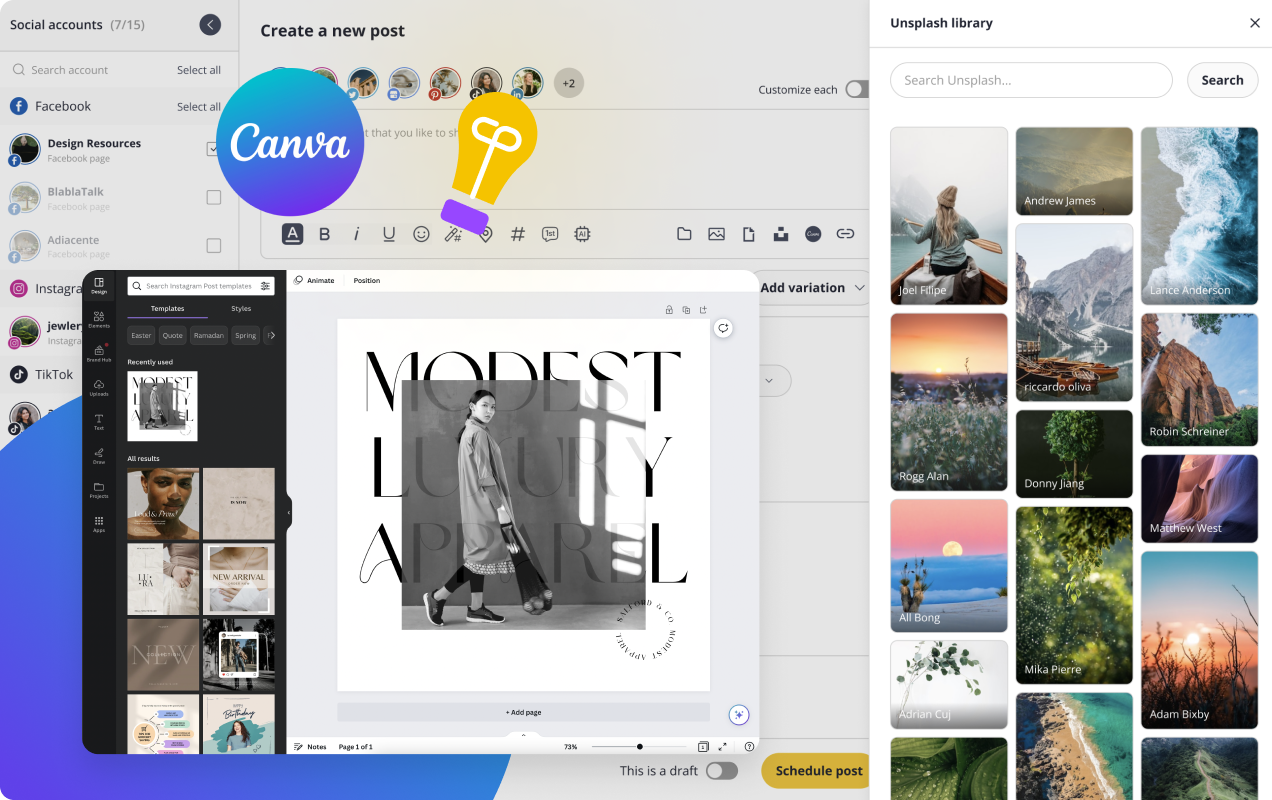
SocialBee post editor with Canva and Unsplash libraries open

Imagery, Without Leaving the Editor

Every post needs imagery, and SocialBee plugs Canva's design tools and Unsplash's free stock library straight into the editor. Pick a photo, tweak a graphic, schedule the post — no tab-juggling, no Frankenstein workflow.

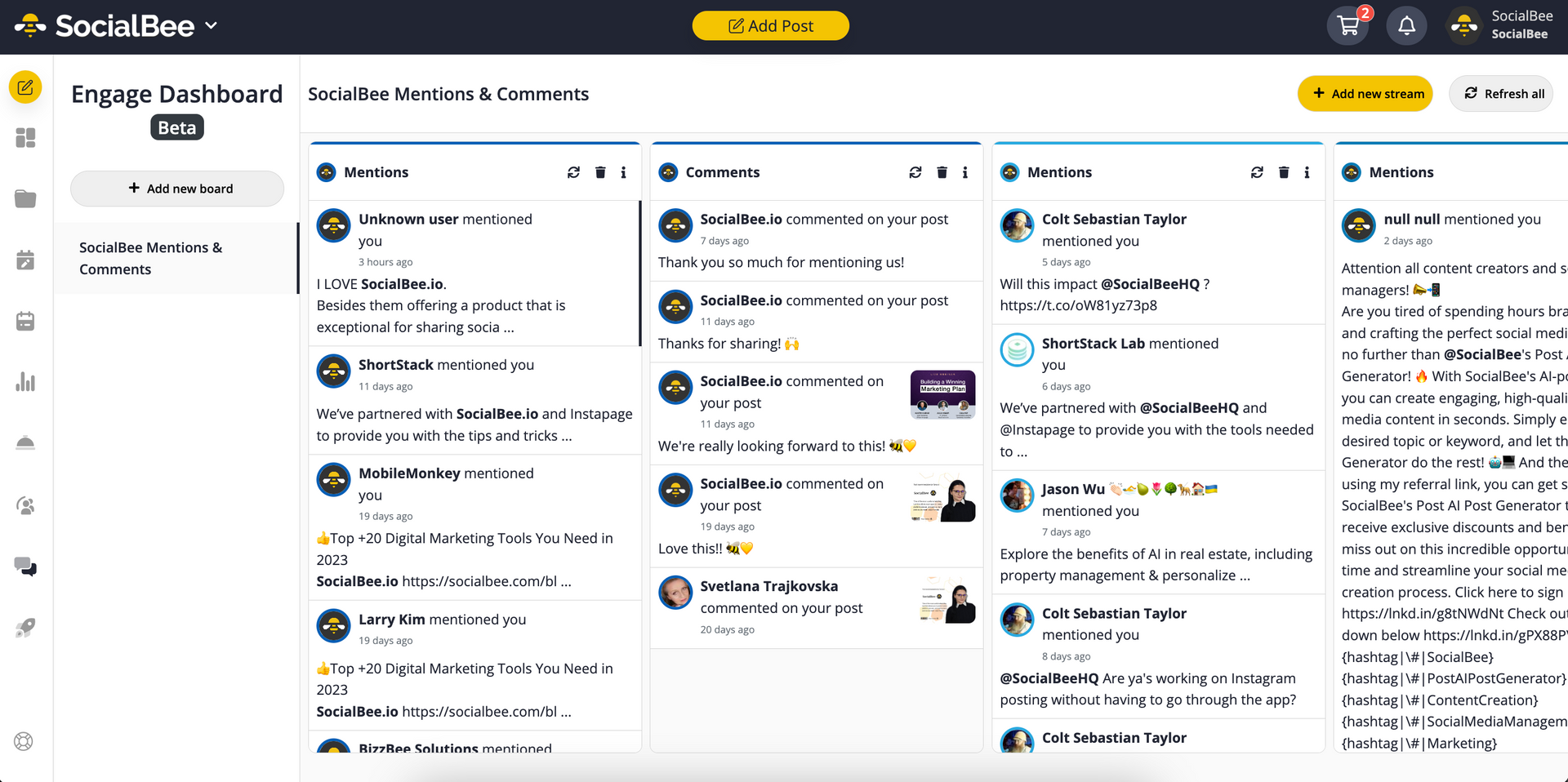
SocialBee Engage dashboard with mentions, comments and messages columns

One Inbox for Every Channel

SocialBee's Engage dashboard pulls every comment, mention, and DM from every connected account into a single view. Reply directly, mark as done, assign to a teammate. You'll never miss a customer message again.

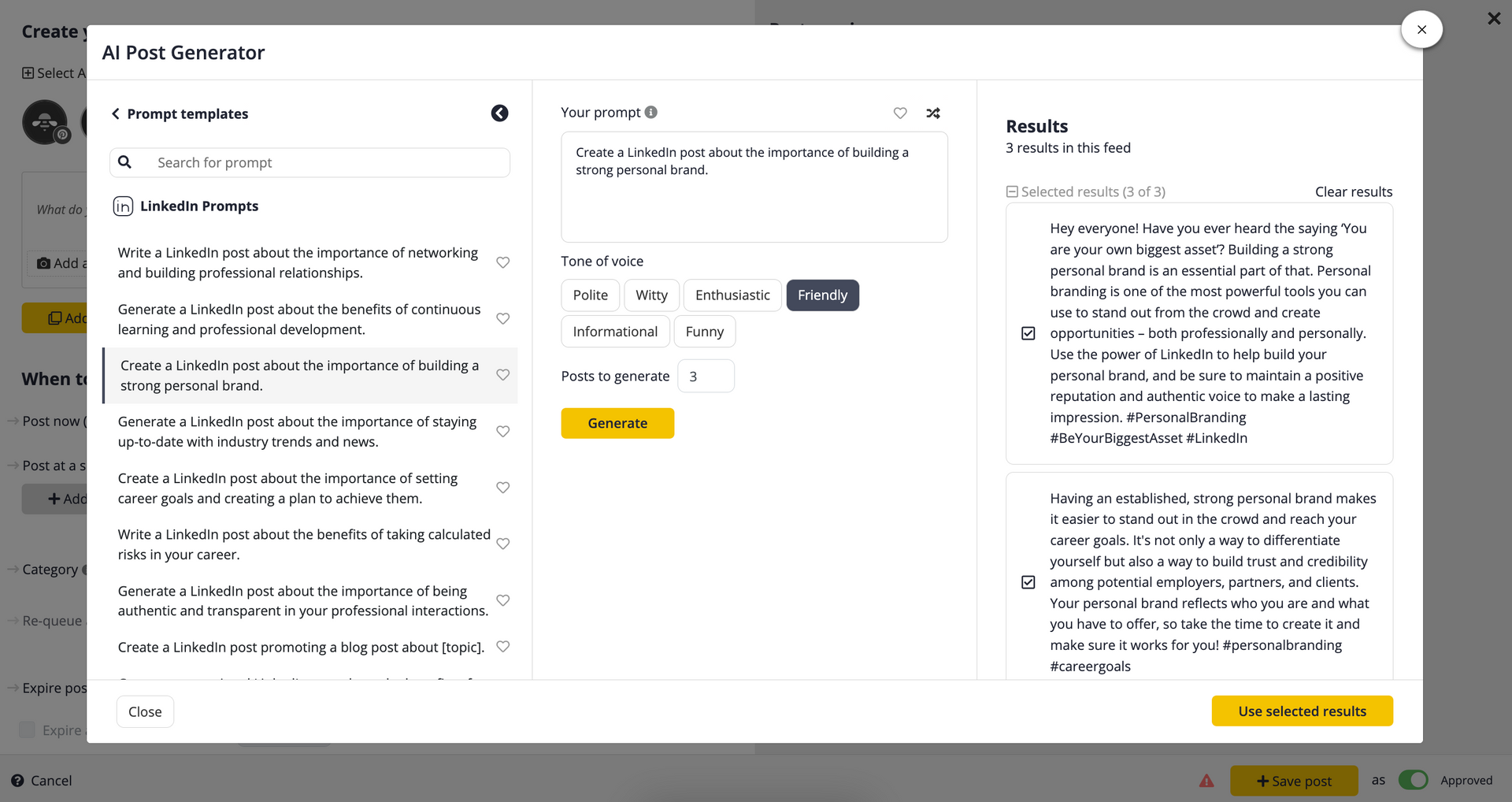
SocialBee AI Post Generator with tone selection and prompt templates

AI That Sounds Like You

Stuck for what to say? Pick a prompt template, choose your tone — friendly, witty, professional, informational — and SocialBee generates ready-to-edit posts in seconds. It even handles hashtags and images. You stay in full control of what actually goes live.

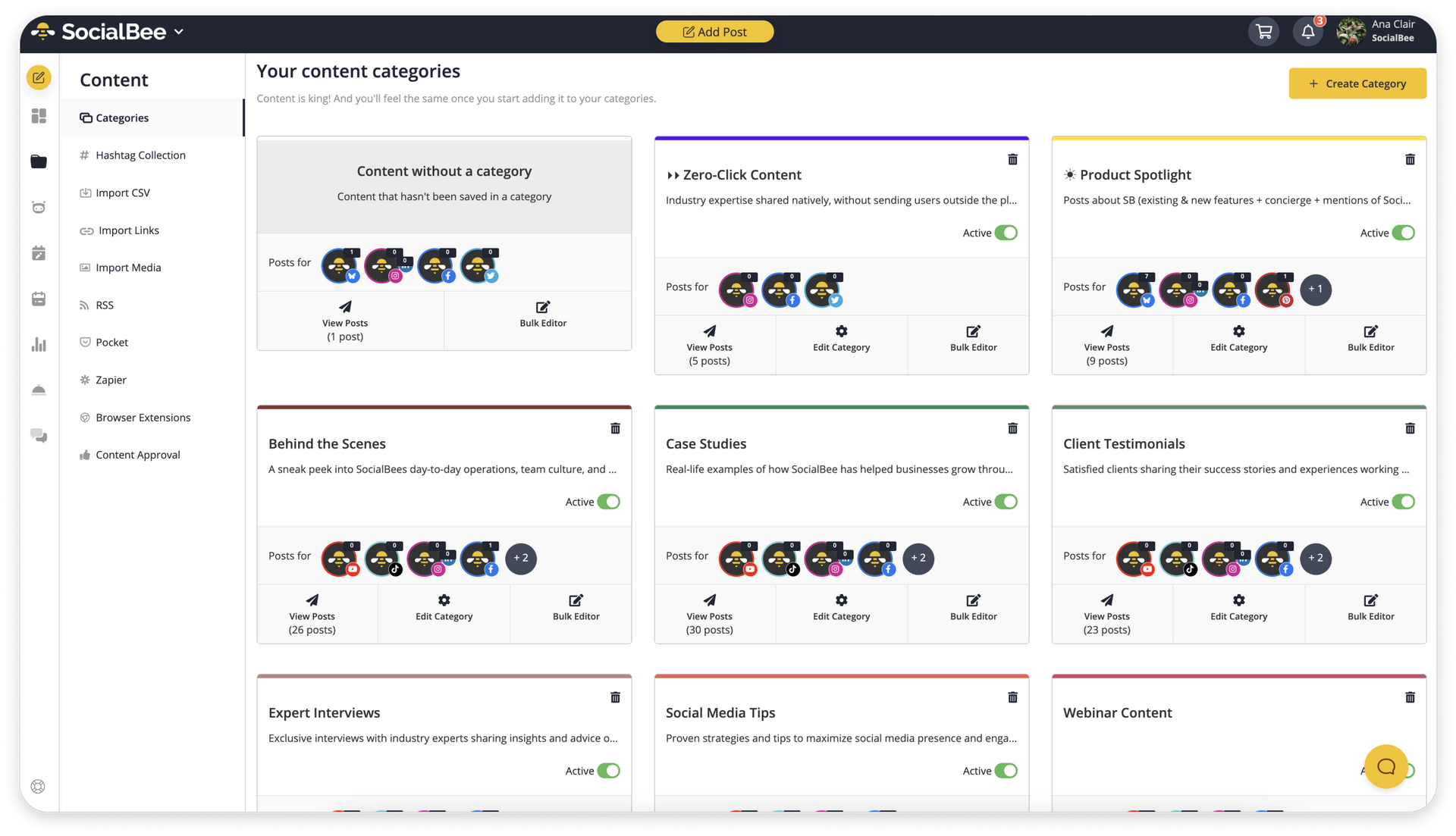
SocialBee content categories grid with organised post types

Why we recommend SocialBee specifically

Most scheduling tools either feel built for huge agencies (Sprout Social, Hootsuite — and priced accordingly) or feel a bit basic the moment your business gets serious about social (Buffer, Later). SocialBee sits in the sweet spot: pro-grade features, small-business pricing, and a workflow that's genuinely been thought through.

The category-based content recycling is the standout — you tag posts by type (testimonial, behind-the-scenes, blog promo, product spotlight) and SocialBee keeps your evergreen content cycling automatically. It's the closest thing to "set and forget" social we've found.

It also plays nicely with the tools you already use: Canva for graphics, Unsplash for stock imagery, RSS feeds for blog content, Zapier for automations, and browser extensions for sharing on the go.

What you get with SocialBee

  • 10+ platforms in one place Schedule unlimited posts across every channel from one calendar view.
  • AI Post Generator Tone control and prompt templates that sound like you, not a robot.
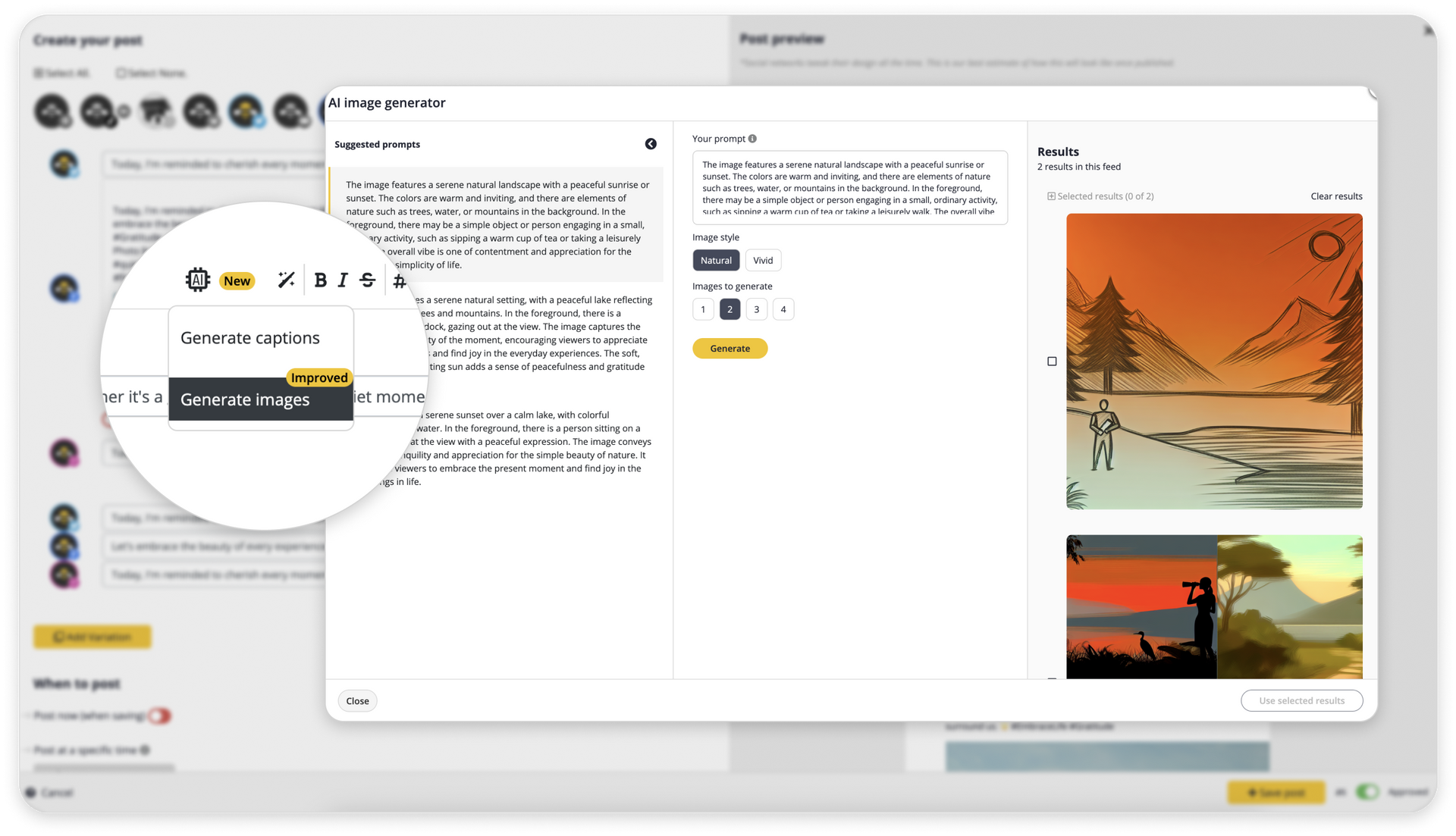
  • AI Image Generator Built in — no separate Canva or Midjourney subscription needed to get started.
  • Engage inbox Reply to every comment, mention, and DM from one screen.
  • Content categories Tag evergreen posts and SocialBee recycles them automatically.
  • Per-platform variations One idea ships as a proper LinkedIn post, Instagram caption, and tweet in a single pass.
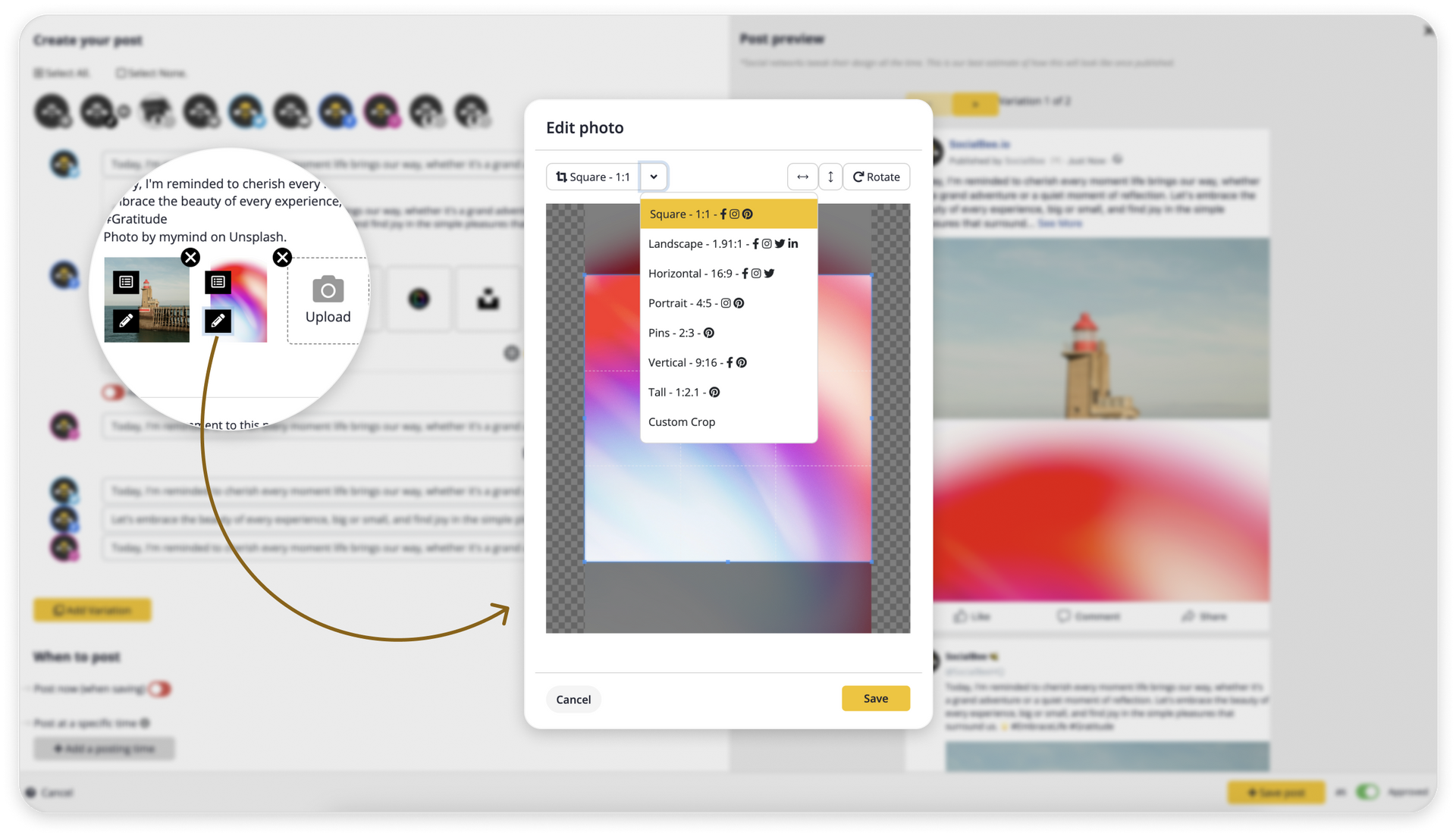
  • Built-in image editor Platform-perfect crops (Square, Landscape, Portrait, Pins, Vertical, Tall — preset).
  • Canva and Unsplash integrations Never leave the app to find imagery.
  • Team features Approval workflows, roles, RSS imports, browser extensions, and Zapier connections.
  • 14-day free trial No credit card required to start.

See it in action

SocialBee AI image generator with results
AI image generator — describe what you want, pick a style, and SocialBee delivers post-ready images in seconds.
Multi-format image crop tool with platform presets
Smart image crops — Instagram square, LinkedIn landscape, Pinterest portrait — preset and one click away.
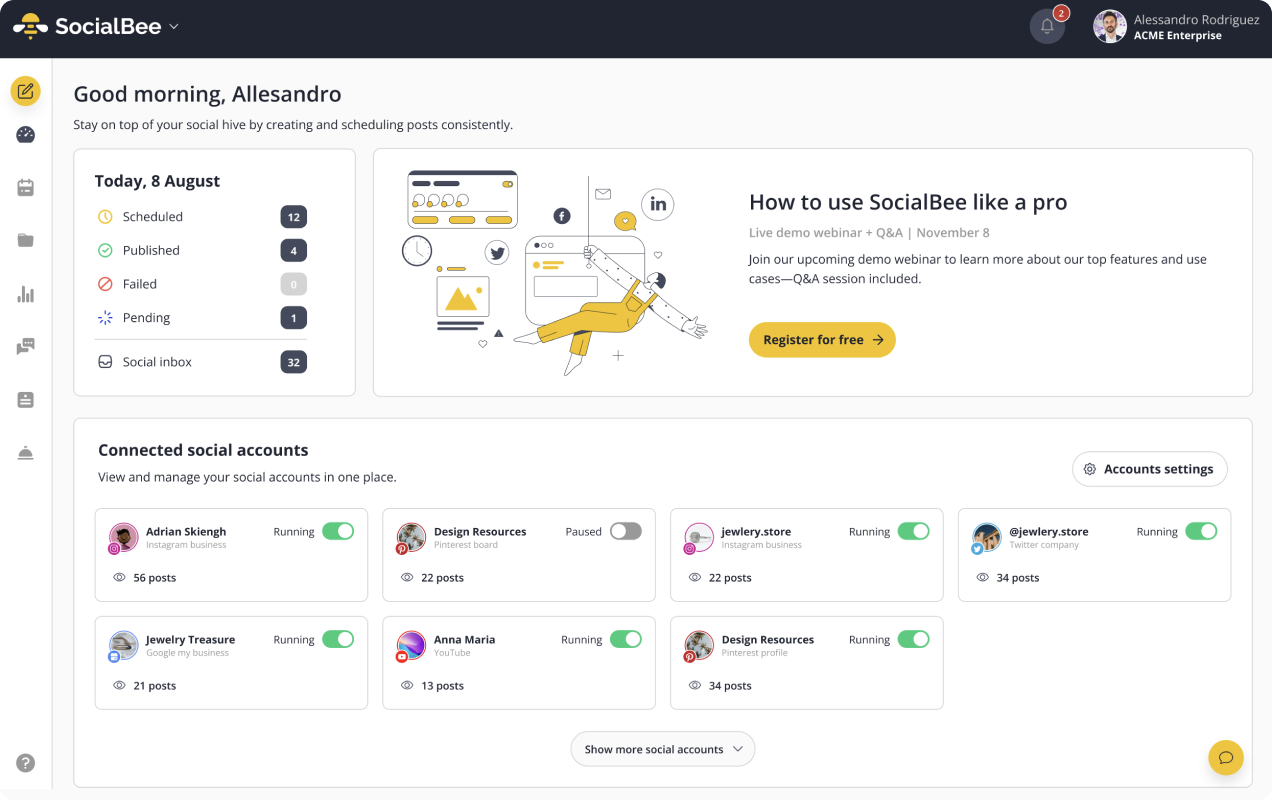
SocialBee dashboard showing scheduled, published and pending counts plus connected accounts
Your morning dashboard — see what's scheduled, what published, and which accounts are running, all in one glance.

Plans that fit your business

SocialBee plans start around $29/month for solo business owners and scale up with team size. Most small businesses we work with land on the Accelerate plan. You can try the full tool free for 14 days without entering a card — link below.

See Current Pricing on SocialBee →

Ready to take social off your plate?

Start a free 14-day trial — no card needed — and see how much time SocialBee gives you back.

Start Your Free Trial →

Not sure if it's the right fit? Book a free discovery call and we'll talk you through whether SocialBee suits how you work.